
Complete Guide to the PARA Method
What Is the PARA Method?
If you've ever spent more time deciding where to save a note than actually writing it, you've experienced one of the biggest problems in digital organization.
Most filing systems ask you to classify information by what it is about. While that seems logical at first, it quickly becomes difficult as your collection grows. A single note might relate to work, finance, programming, and a current project all at once. Which folder should it go into?
The PARA Method approaches the problem differently. Instead of organizing information by subject, it organizes it by how you use it.
That simple change makes the system remarkably easy to maintain, whether you have fifty notes or fifty thousand.
What Does PARA Stand For?
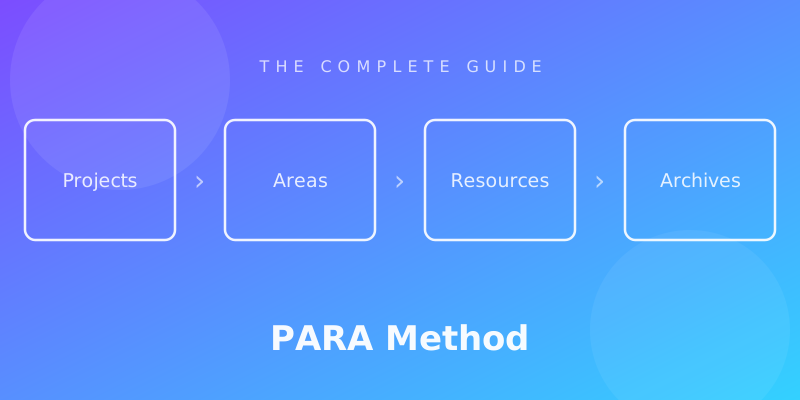
PARA is an acronym for four top-level categories:
- Projects — Short-term efforts with a defined outcome.
- Areas — Long-term responsibilities you continuously maintain.
- Resources — Topics and reference materials that may be useful in the future.
- Archives — Anything inactive that you want to keep but don't need every day.
Unlike traditional folder structures, these categories describe the role information plays in your life, not its subject.
For example, imagine you're learning photography while planning a vacation.
A traditional system might look like this:
Photography
├── Camera Settings
├── Travel
└── Editing

Travel
├── Italy
├── Packing List
└── Photography
Immediately, duplication appears. Where should your research on "Best Camera Settings for Italy" live?
In PARA, the answer is much simpler:
Projects
└── Italy Vacation

Areas
└── Personal Development

Resources
└── Photography

Archives
The travel itinerary belongs to the active project. General photography knowledge stays in Resources. When the trip is over, the entire project moves to Archives.
No duplication. No guessing.
Who Created the PARA Method?
The PARA Method was developed by productivity educator Tiago Forte as part of his broader work on personal knowledge management (PKM) and the Building a Second Brain methodology.
While many organizational systems focus on storing information, Forte observed that most people actually struggle with retrieving and using what they've already collected.
His conclusion was simple:
Information is only valuable when it helps you take action.
This insight became the foundation of PARA.
Rather than building increasingly detailed folder hierarchies, users maintain only four primary categories. Information moves between them as its importance changes over time.
The framework is intentionally simple enough to work in almost any environment:
- note-taking applications
- cloud storage
- local folders
- document management systems
- even paper filing systems
Because PARA is based on principles instead of software features, it remains useful regardless of which tools you choose.
The Core Philosophy: Organize by Actionability
The biggest difference between PARA and traditional organization systems is philosophical.
Most systems ask:
What is this about?
PARA asks:
What is this helping me accomplish?
That may seem like a subtle distinction, but it changes almost every organizational decision you make.
Consider a PDF about retirement investing.
Depending on your folder structure, it could belong under:
- Finance
- Investing
- Personal
- Work
- Reading
- Money
- Resources
Every answer feels reasonable.
PARA removes the ambiguity.
If you're actively creating a retirement plan, the document belongs inside that Project.
If managing personal finances is an ongoing responsibility, it may belong in an Area.
If it's simply useful reference material for the future, it belongs in Resources.
Once it's no longer relevant, it moves into Archives.
The same document can occupy different places during different stages of its life—not because the document changed, but because your relationship with it changed.
This dynamic approach is one of PARA's greatest strengths.
Instead of creating permanent homes for information, you create a workflow that evolves naturally alongside your work.
Why Traditional Folder Systems Eventually Break Down
Traditional folder structures usually begin with good intentions.
You create categories that make perfect sense today:
Documents
├── Work
├── Personal
├── Finance
├── Health
├── Learning
└── Ideas
For the first few weeks, everything feels organized.
Then reality intervenes.
A note from a conference includes work ideas, learning resources, and networking contacts.
A book about psychology influences your marketing strategy.
A research paper supports both a client project and your personal interests.
Suddenly, every new note raises the same question:
"Where should this go?"
The problem isn't the note.
The problem is assuming that every piece of information belongs to exactly one subject.
Real life doesn't work that way.
Knowledge overlaps.
Projects overlap.
Responsibilities overlap.
Traditional folder systems force you to make artificial decisions that don't reflect how information is actually used.
As your collection grows, these decisions become a form of decision fatigue.
Saving a simple document becomes a mini organizational exercise.
Eventually, many people stop organizing altogether and rely entirely on search.
Search is incredibly useful—but search works best when it's supported by a sensible organizational structure. PARA provides that structure without demanding hundreds of folders or complex rules.
Its goal isn't to replace search.
Its goal is to reduce the number of decisions you make before something becomes searchable in the first place.
Understanding the Four PARA Categories
The four categories in PARA look deceptively simple.
Many first-time readers think:
"That's it? Just four folders?"
Yes - and that's exactly the point.
PARA is designed to minimize organizational decisions. Every piece of information should have an obvious home based on its current purpose, not its subject.
Once you understand the role of each category, filing information becomes almost automatic.
Projects
A Project is a short-term effort with a clear goal and a defined finish line.
Ask yourself one question:
Can I complete this?
If the answer is yes, it's probably a Project.
Typical characteristics include:
- a specific objective
- multiple steps or tasks
- active work
- a measurable outcome
- an end date (even if flexible)
Examples include:
- Launch a personal website
- Write a master's thesis
- Plan a vacation to Japan
- Buy a new apartment
- Prepare a conference presentation
- Organize a wedding
- Build a mobile application
- Learn SQL in 30 days
- Publish a book
- Redesign your portfolio
Each project gathers everything needed to complete that outcome.
For example:
Projects
└── Launch Website
    ├── Meeting Notes
    ├── Design Ideas
    ├── Research
    ├── Tasks
    ├── Content Drafts
    └── Assets
Everything related to launching the website stays together.
Not because it's about websites.
Because you're actively working on it.
Once the website launches, the entire folder moves into Archives.
No cleanup required.
What Belongs Inside a Project?
Almost anything directly supporting completion.
For example:
- meeting notes
- brainstorming
- research
- task lists
- PDFs
- contracts
- screenshots
- sketches
- reference articles
- checklists
- code snippets
- design files
- links
- spreadsheets
If opening a file helps you move the project forward today, it belongs here.
Common Mistakes with Projects
Mistake #1: Keeping Finished Projects Active
Many people leave completed projects where they are.
After a year:
Projects

Vacation 2024

Website Redesign

Conference

Tax Return 2023

Apartment Search

Old Client

New Client

Kitchen Remodel

...
Only one or two are actually active.
Everything else becomes visual clutter.
The solution is simple:
Move completed work into Archives.
Projects should represent your current commitments, not your history.
Mistake #2: Creating Projects Without Outcomes
Examples that are not projects:
- Programming
- Reading
- Health
- Marketing
- Photography
These have no finish line.
They belong somewhere else.
Areas
Areas are ongoing responsibilities.
Unlike projects, they never truly end.
Ask yourself:
Will I still be responsible for this a year from now?
If yes, it's probably an Area.
Examples include:
- Health
- Career
- Personal Finance
- Family
- Home
- Learning
- Fitness
- Business
- Marketing
- Human Resources
- Customer Support
Unlike projects, Areas aren't completed.
You don't "finish" your health.
You don't "complete" your career.
You continuously maintain them.
Projects Live Inside Areas
An important idea often overlooked:
Projects usually exist because of an Area.
For example:
Area:
Health
Projects might include:
- Complete annual medical checkup
- Train for a marathon
- Lose 10 kg
- Choose a new health insurance plan
The projects eventually finish.
The Area remains.
This distinction helps you avoid turning permanent responsibilities into endless projects.
What Belongs Inside an Area?
Areas usually contain information such as:
- long-term goals
- recurring procedures
- policies
- personal standards
- recurring checklists
- important contacts
- dashboards
- ongoing documentation
For example:
Areas
└── Personal Finance
    ├── Annual Budget
    ├── Investment Strategy
    ├── Insurance
    ├── Bank Accounts
    └── Financial Goals
Unlike Projects, these documents remain relevant for years.
Resources
Resources contain information you might need in the future.
No deadlines.
No responsibilities.
No commitments.
Just knowledge.
Ask yourself:
Is this simply useful information?
If yes, it belongs in Resources.
Examples include:
- Psychology
- Photography
- AI
- Cooking
- Investing
- Design
- History
- Productivity
- UX Design
- Gardening
- Economics
Resources are your personal reference library.
Unlike Projects, nothing inside Resources requires immediate action.
Examples of Resource Notes
Examples include:
- book summaries
- tutorials
- research papers
- saved articles
- reference documentation
- language learning materials
- cheat sheets
- design inspiration
- technical documentation
- favorite tools
- industry reports
For example:
Resources
└── Photography
    ├── Composition Guide
    ├── Camera Settings
    ├── Lighting Tips
    ├── Lens Comparison
    └── Editing Workflow
None of these are active work.
They're simply knowledge worth keeping.
Don't Turn Resources Into Wikipedia
This is one of the biggest mistakes PARA beginners make.
Once they create Resources, they begin saving everything.
Every interesting article.
Every YouTube video.
Every tweet.
Every podcast.
Every PDF.
Soon Resources becomes another digital junk drawer.
Remember:
Collect information because it is useful—not because it exists.
Ask:
Will I realistically use this again?
If not, don't save it.
Good Resources stay intentionally curated.
Archives
Archives contain inactive information.
Not useless.
Not deleted.
Simply inactive.
This includes:
- completed projects
- previous responsibilities
- old clients
- finished courses
- expired documents
- retired procedures
- past travel plans
- old research
Archive is your organizational safety net.
You keep information without allowing it to distract current work.
Why Archives Matter
Many people hesitate to archive information.
They're afraid they'll need it later.
PARA solves this by making Archive a first-class category.
You don't delete valuable work.
You simply remove it from your active workspace.
Imagine finishing a home renovation.
For several months, the project contains:
- contractor contacts
- invoices
- floor plans
- measurements
- receipts
- schedules
After completion, none of these require daily attention.
Instead of leaving them mixed with current projects, move the entire folder into Archives.
Six months later, if you need the warranty information, it's still there.
Just not in your way.
Information Moves Through PARA
Perhaps the most important idea in the entire framework is this:
Information is dynamic.
It shouldn't stay in one place forever.
Consider this example:
Resources
└── Running
You decide to run your first marathon.
Now you create:
Projects
└── Marathon Training
You copy or move the relevant training plans into the project because they're now part of active work.
Once the marathon is over:
Archives
└── Marathon Training
Some lessons learned become permanent:
Areas
└── Health
The same information has supported different stages of your life.
PARA allows it to move naturally instead of forcing a permanent classification.
This flexibility is what makes the system scale over years of use.
Instead of endlessly expanding your folder hierarchy, you maintain just four stable categories while information flows between them as your priorities change.
That's the real power of the PARA Method: it organizes your work around what matters now, while preserving everything that mattered before.
Real-Life Examples of the PARA Method
Understanding the four categories is one thing. Applying them to everyday work is another.
The strength of the PARA Method is that it adapts to almost any profession, hobby, or lifestyle. Whether you're managing a business, studying for exams, or organizing your home, the same four categories remain unchanged.
Only the content inside them changes.
Let's look at several practical examples.
Example 1: Freelancer
Freelancers often juggle multiple clients while also running their own business. Without a clear structure, client files, invoices, proposals, and ideas quickly become scattered.
A PARA structure might look like this:
Projects
├── Website for Client A
├── Branding for Client B
├── Tax Preparation
└── Portfolio Redesign

Areas
├── Business
├── Personal Finance
├── Marketing
└── Professional Development

Resources
├── Design Inspiration
├── Contracts
├── SEO
├── UI Components
└── Copywriting

Archives
├── Client X (Completed)
├── Portfolio 2025
└── Closed Projects
Notice that clients aren't permanent folders. A client engagement is usually a project with a defined outcome. Once the work is complete, it moves to Archives, keeping the active workspace focused on current commitments.
Example 2: University Student
Students often organize notes by semester or course. While that works for classes, it becomes less useful when preparing a thesis, internship, or long-term research project.
A PARA structure could look like this:
Projects
├── Final Thesis
├── Machine Learning Assignment
├── Summer Internship
└── Scholarship Application

Areas
├── Education
├── Career Development
├── Personal Finance
└── Health

Resources
├── Mathematics
├── Python
├── Research Methods
├── Academic Writing
└── Statistics

Archives
├── Semester 1
├── Semester 2
└── Completed Courses
Instead of burying everything inside semester folders, active work stays visible while completed coursework is archived without being lost.
Example 3: Software Developer
Developers collect a huge amount of technical information: documentation, code snippets, architecture diagrams, debugging notes, and API references.
A PARA organization might look like this:
Projects
├── Personal Knowledge App
├── API Refactoring
├── New Landing Page
└── Authentication System

Areas
├── Software Architecture
├── Career
├── Team Leadership
└── Learning

Resources
├── TypeScript
├── Svelte
├── Docker
├── SQL
├── Design Patterns
└── Algorithms

Archives
├── Legacy Projects
├── Old APIs
└── Previous Employers
General programming knowledge belongs in Resources. Documentation specific to an active application belongs in the corresponding Project.
This separation keeps reference material independent from day-to-day implementation work.
Example 4: Content Creator
Creators constantly switch between producing content, researching ideas, and managing their business.
A possible structure:
Projects
├── YouTube Video
├── Podcast Episode
├── Newsletter
└── Online Course

Areas
├── Brand
├── Audience
├── Business
└── Content Strategy

Resources
├── Storytelling
├── Video Editing
├── AI Tools
├── Marketing
└── Writing

Archives
├── Published Videos
├── Old Campaigns
└── Retired Courses
Each piece of content begins as a project. After publication, it's archived while the supporting knowledge remains available in Resources.
Example 5: Personal Life
PARA isn't only for work.
It can organize everyday responsibilities just as effectively.
Projects
├── Kitchen Renovation
├── Summer Vacation
├── Buy a Car
└── Annual Tax Return

Areas
├── Home
├── Family
├── Health
├── Personal Finance
└── Learning

Resources
├── Recipes
├── Gardening
├── Photography
├── Investing
└── Travel Guides

Archives
├── Vacation 2025
├── Old Insurance
└── Previous Apartments
The system works because it reflects real life. Your responsibilities remain stable, your interests evolve gradually, and your projects naturally begin and end.
How to Build a PARA System from Scratch
The biggest mistake people make when adopting PARA is trying to reorganize everything at once.
You don't need to.
In fact, starting small is usually the faster path to a sustainable system.
Step 1: Create Four Top-Level Folders
Start with only these folders:
Projects
Areas
Resources
Archives
Avoid adding subfolders immediately.
The goal is to establish the framework first.
Step 2: Move Your Active Projects
Look at everything you're actively working on today.
Examples:
- writing a report
- planning a trip
- redesigning a website
- applying for a new job
Each becomes its own folder under Projects.
Don't worry about organizing the contents yet. Simply gathering related material in one place is already a significant improvement.
Step 3: Define Your Areas
Think about the responsibilities you expect to maintain for years rather than weeks.
Examples include:
- Health
- Career
- Family
- Personal Finance
- Home
- Business
Keep the list intentionally short. Five to ten Areas are enough for most people.
If you constantly create new Areas, you're probably confusing them with Projects.
Step 4: Add Your Resources
Now move reference material into Resources.
Examples:
- programming documentation
- recipes
- language learning
- research papers
- design inspiration
- travel recommendations
Remember that Resources are optional. If you never revisit something, it doesn't need to be saved.
A smaller, well-curated library is more valuable than an endless collection of bookmarks.
Step 5: Archive Everything Else
Anything that is no longer active belongs in Archives.
This includes:
- completed projects
- old meeting notes
- previous jobs
- expired documents
- finished courses
- outdated research
Many people hesitate to archive because they equate it with deleting.
PARA makes a clear distinction:
Archived doesn't mean gone. It simply means inactive.
Migrating Existing Notes Without Feeling Overwhelmed
One of the most common questions is:
"I already have thousands of notes. Do I need to reorganize all of them?"
The answer is no.
A full migration often becomes an enormous project that people abandon halfway through.
Instead, use a gradual migration strategy.
Start Today, Not Yesterday
Create the PARA structure and begin using it for all new information.
Leave your old folders exactly where they are.
Whenever you need an older note, decide whether it's still relevant.
If it is, move it into the appropriate PARA category.
If it isn't, archive it.
Over time, your most valuable information naturally migrates into the new system while obsolete material stays untouched.
This approach offers several advantages:
- almost no upfront effort
- no interruption to your work
- gradual learning
- continuous improvement
- significantly lower risk of burnout
In other words, let usage—not perfection—drive the migration.
By the time you've been using PARA for a few months, you'll often discover that much of your old information was never worth reorganizing in the first place.
Using PARA in Different Apps
One of the biggest advantages of the PARA Method is that it isn't tied to any specific application.
Unlike many productivity systems that depend on unique features or plugins, PARA is simply a way of organizing information. If your tool supports folders, notebooks, collections, or even tags, you can usually implement PARA with little or no customization.
Below are some common approaches.
Obsidian
Obsidian users typically create four top-level folders:
Projects
Areas
Resources
Archives
Notes can then be linked freely using backlinks, graph view, and tags.
This combination works well because folders answer "Where does this belong right now?", while links answer "How is this connected?"
Notion
In Notion, PARA is often implemented using pages or databases.
Typical structure:
Projects
Areas
Resources
Archives
Many users add custom properties such as:
- status
- owner
- priority
- due date
The underlying PARA structure remains the same.
Apple Notes
Apple Notes supports folders and smart folders, making PARA easy to implement without additional tools.
Keep the folder hierarchy shallow and rely on search for finding individual notes.
Google Drive
PARA works surprisingly well for documents.
Example:
Projects
Areas
Resources
Archives
Client documents, spreadsheets, presentations, PDFs, and images all fit naturally into the framework.
File Explorer or Finder
Even if you don't use a dedicated note-taking application, PARA still works.
Many people organize their entire computer using four top-level directories.
The method is independent of software because it's based on how work evolves—not on application features.
Common Mistakes When Using PARA
The framework is intentionally simple, but simplicity doesn't automatically prevent mistakes.
Here are the most common ones.
Mistake 1: Creating Too Many Folders
One of the fastest ways to make PARA difficult is adding unnecessary levels of hierarchy.
For example:
Resources
└── Programming
    └── Frontend
        └── JavaScript
            └── Frameworks
                └── React
This recreates the same complexity PARA was designed to eliminate.
Whenever possible, prefer search over deeper nesting.
Mistake 2: Confusing Projects and Areas
This is the mistake almost everyone makes at first.
Consider these examples:
❌ Health (Project)
✅ Health (Area)
❌ Marketing (Project)
✅ Marketing (Area)
❌ Learn Spanish (Area)
✅ Learn Spanish in 90 Days (Project)
Projects finish.
Areas continue.
When in doubt, ask:
"Will this eventually be complete?"
If yes, it's a Project.
Mistake 3: Saving Everything
Digital storage is cheap.
Attention is not.
Saving every interesting article, podcast, or video creates a huge collection that's difficult to navigate and rarely revisited.
Instead, save information intentionally.
A useful question is:
"Will I realistically use this again?"
If the answer is no, let it go.
Mistake 4: Never Archiving
Completed projects shouldn't remain active forever.
Leaving them in Projects creates unnecessary clutter and makes it harder to focus on current work.
Archiving isn't deleting.
It's simply moving inactive information out of your daily workspace.
Mistake 5: Trying to Build the Perfect System
Many people spend hours designing folder structures before adding their first note.
PARA encourages the opposite approach.
Start simple.
Improve gradually.
The best organization system is the one you actually use.
Mistake 6: Treating PARA as a Complete PKM System
PARA answers one important question:
Where should information live?
It does not answer questions like:
- How should notes be connected?
- How should ideas evolve?
- How should knowledge be synthesized?
- How should permanent notes be written?
These topics belong to broader Personal Knowledge Management (PKM) practices.
Think of PARA as the organizational foundation—not the entire building.
Benefits of the PARA Method
After using PARA consistently, many people notice improvements beyond a cleaner folder structure.
Faster retrieval
Current work stays visible.
Completed work stays accessible.
Reference material remains organized.
Finding information requires fewer clicks and less searching.
Lower cognitive load
Instead of choosing between dozens of folders, you usually choose between four categories.
Less decision-making means less mental friction.
Better focus
Projects contain only active work.
Completed tasks no longer compete for attention.
Your workspace naturally reflects your current priorities.
Flexibility
The same framework works for:
- notes
- documents
- cloud storage
- bookmarks
- images
- PDFs
- code
- research
Few organizational systems are this tool-independent.
Scalability
Whether you manage one project or one hundred, the top-level structure remains unchanged.
Information moves between categories instead of forcing you to redesign the system.
Limitations of the PARA Method
No organizational framework is perfect.
PARA excels at managing active personal knowledge, but there are situations where another approach may be more appropriate.
For example:
- legal document repositories
- scientific taxonomies
- government record management
- enterprise compliance systems
- historical archives
- library classification
These domains often require subject-based or standards-driven organization rather than action-based workflows.
Similarly, if your work depends on rigid document classifications defined by regulation, PARA should complement—not replace—those requirements.
The framework is most effective when supporting day-to-day personal or team productivity.
PARA vs Traditional Folder Organization
| Traditional Organization | PARA Method |
|---|---|
| Organized by topic | Organized by actionability |
| Deep folder hierarchies | Flat structure |
| Static classification | Dynamic movement between categories |
| Frequent filing decisions | Simple, repeatable decisions |
| Difficult to maintain | Easy to evolve over time |
| Focus on storage | Focus on current work |
| Clutter grows continuously | Completed work leaves active space |
The key difference isn't the number of folders.
It's the organizing principle.
Traditional systems ask:
"What is this about?"
PARA asks:
"What role does this play in my life right now?"
PARA as Part of Personal Knowledge Management
It's important to understand what PARA is—and what it isn't.
PARA is an organizizational framework.
It helps you decide where information belongs.
A complete Personal Knowledge Management (PKM) workflow typically includes several stages:
- Capture information.
- Organize it.
- Connect related ideas.
- Develop original thinking.
- Apply knowledge in real work.
- Review and refine over time.
PARA primarily addresses the second stage.
It works particularly well alongside practices such as:
- progressive summarization
- daily notes
- evergreen notes
- spaced repetition
- knowledge linking
- project planning
In other words, PARA provides the structure that allows these methods to coexist without becoming chaotic.
Conclusion
Most organizational systems become more complicated as your information grows.
PARA moves in the opposite direction.
By reducing every filing decision to one simple question—
"What is this useful for right now?"
—you spend less time organizing and more time using your knowledge.
Projects keep active work together.
Areas help you maintain long-term responsibilities.
Resources collect information worth revisiting.
Archives preserve the past without distracting from the present.
The result isn't just a cleaner folder structure.
It's a workspace that evolves naturally as your priorities change.
If you're starting today, don't try to reorganize your entire digital life.
Create four folders.
Move one active project into the right place.
Use the system for a week.
You'll quickly discover that organizing information becomes easier—not because PARA is more complicated, but because it's intentionally simpler.
Frequently Asked Questions
What does PARA stand for?
PARA stands for Projects, Areas, Resources, and Archives—the four categories used to organize digital information based on its current purpose.
Is the PARA Method only for note-taking apps?
No. It works equally well with cloud storage, file systems, document management tools, bookmarks, and paper files.
Can I use PARA with Obsidian?
Yes. Obsidian is one of the most popular tools for PARA because folders, links, tags, and search complement the framework well.
Does PARA work in Notion?
Yes. Many people implement PARA using pages, databases, or a combination of both.
Should I organize by folders or tags?
They serve different purposes.
Folders answer where information currently belongs.
Tags describe attributes that may apply across multiple notes.
Most users benefit from combining both.
How often should I archive projects?
Whenever a project is no longer active.
There's no fixed schedule—archive based on activity, not age.
Can a note belong to multiple categories?
A note should usually have one primary location.
If it's relevant elsewhere, use links, references, or shortcuts instead of creating duplicates.
Is PARA suitable for students?
Yes. Students can organize assignments as Projects, long-term academic responsibilities as Areas, learning topics as Resources, and completed semesters as Archives.
Does PARA replace search?
No.
Search and organization complement each other.
PARA reduces filing decisions, while search makes retrieval fast.
Can I combine PARA with Zettelkasten?
Absolutely.
Many people use PARA to organize projects and reference material while using Zettelkasten for developing interconnected ideas.
The two approaches solve different problems.
Is PARA suitable for teams?
Yes, especially for project-oriented work.
However, teams with strict compliance, legal, or archival requirements may need additional structures alongside PARA.
How many folders should I have?
Keep the top level limited to the four PARA categories.
Create subfolders only when they clearly improve navigation.
If you're constantly adding new levels, it's usually a sign that your structure is becoming too complex.
What if I'm unsure where something belongs?
Ask yourself one question:
"What is this helping me accomplish today?"
The answer almost always points to the correct PARA category.
If you're still uncertain, place it where you're most likely to look for it later. Remember, PARA is designed to be flexible. Information can move as your priorities change.