
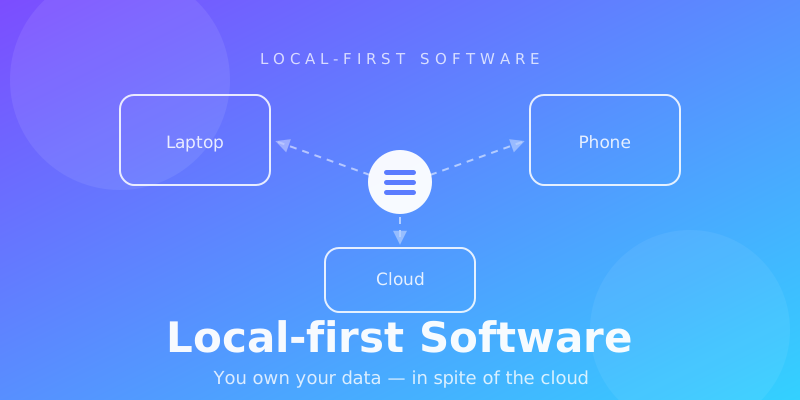
Local-first Software Explained: What It Is, How It Works, and Why It Matters
For years, the default architecture of modern software has been simple:
Your application runs on your device. Your data lives somewhere else.
You open an application, make a change, send a request to a server, and wait for the remote system to process it.
When the network is fast, this model works remarkably well.
But what happens when the network is slow?
What happens when you're offline?
What happens when you want to move your data to another application?
And perhaps the most important question:
What happens to your data when the service that stores it disappears?
Local-first software proposes a different answer.
Instead of treating the server as the center of the application, it treats the user's local copy of the data as a first-class part of the system.
The network becomes something that connects your data rather than something your data fundamentally depends on.
The internet should connect your data — not own it.
This article explains what local-first software is, how it differs from offline-first and cloud-first architectures, how synchronization and CRDTs work, what the trade-offs are, and why local-first is becoming an increasingly important way to think about software.
What Is Local-first Software?
Local-first software is an approach to application architecture where the user's local data is available and useful independently of the network.
The application reads and writes local data first.
Synchronization with remote systems happens separately.
A simplified model looks like this:
  ┌───────────────┐
  │    Laptop     │
  │  Local Data   │
  └───────┬───────┘
          │
          │ sync
          ▼
  ┌───────────────┐
  │ Sync / Relay  │
  │    Server     │
  └───────┬───────┘
          │
          │ sync
          ▼
  ┌───────────────┐
  │    Phone      │
  │  Local Data   │
  └───────────────┘
The important part is not simply that data is cached locally.
The local copy is part of the application's working data model.
You can open the application.
You can read your documents.
You can make changes.
You can create new data.
And you don't necessarily need to wait for a remote server before the application can respond.
When connectivity becomes available, the local changes can synchronize with other replicas.
This creates a fundamentally different relationship between the user, the application, the network, and the server.
Cloud-first: the traditional model
Most SaaS applications are built around a centralized model:
 User
   │
   ▼
 Application
   │
   ▼
 API
   │
   ▼
 Database
The server typically contains the authoritative state.
The client is primarily an interface to that state.
This architecture has enormous advantages.
Centralized data is relatively easy to reason about.
Transactions are easier.
Access control is centralized.
Backups are centralized.
Search and analytics are straightforward.
For many applications, this is exactly the right architecture.
But it also creates dependencies.
If the network is unavailable, the application may lose access to important functionality.
If the server becomes unavailable, the application may become unusable.
And if the provider shuts down, the user's access to their data may depend on whether the provider offers a viable export.
The architecture therefore establishes an implicit relationship:
 Application
      ↓
 Server
      ↓
 Database
      ↓
 Your data
Local-first reverses that relationship.
Local-first: a different model
A local-first application can instead look like this:
  ┌──────────────────┐
  │    Application   │
  └────────┬─────────┘
           │
           ▼
  ┌──────────────────┐
  │   Local Data     │
  │  Source of Work  │
  └────────┬─────────┘
           │
           │ background sync
           ▼
  ┌──────────────────┐
  │   Sync Server    │
  └────────┬─────────┘
           │
           ▼
      Other Devices /
      Remote Backup
The server hasn't disappeared.
Its role has changed.
It can still provide:
- synchronization
- authentication
- sharing
- collaboration
- encrypted backup
- notifications
- search
- billing
- access control
- device discovery
But it does not have to be involved in every interaction with the user's data.
That distinction is the foundation of local-first architecture.
Local-first vs Offline-first
These concepts are often treated as synonyms.
They aren't.
Offline-first
Offline-first means:
The application should continue working when the network is unavailable.
A typical offline-first application might maintain a local cache:
 Application
      │
      ▼
 Local Cache
      │
      ▼
 Sync Queue
      │
      ▼
 Server
The server may still be the ultimate source of truth.
The local copy exists primarily to make the application resilient to network interruptions.
Local-first
Local-first goes further.
It asks:
Why should the network be required for normal interaction with the user's data at all?
The local representation becomes fundamental to the application:
Local Data
    ↕
Synchronization
    ↕
Remote Replica
This difference is subtle but important.
Offline-first is primarily a reliability strategy.
Local-first is an architectural and ownership model.
A useful mental model
Offline-first:
"What should happen when I'm offline?"
Local-first:
"Why should being online be required for this operation?"
The Seven Ideals of Local-first Software
The modern local-first discussion was strongly influenced by the 2019 essay Local-first software: You own your data, in spite of the cloud by Ink & Switch.
The essay describes seven ideals that remain a useful framework for evaluating local-first systems.
1. Fast
Local interactions can be extremely fast because they don't require network round trips.
Instead of:
Click
 ↓
Request
 ↓
Internet
 ↓
Server
 ↓
Database
 ↓
Response
 ↓
UI update
you can have:
Click
 ↓
Local update
 ↓
UI update
 ↓
Background sync
This can dramatically change how an application feels.
Typing becomes independent of network latency.
Opening a document doesn't require a request.
Moving a note between folders doesn't need to wait for a server.
The network becomes an implementation detail rather than a perceptible part of every interaction.
2. Multi-device
Local-first does not mean keeping everything on a single device.
Quite the opposite.
The goal is to allow multiple devices to maintain useful local copies of the same data.
For example:
                 Your Data
                    │
        ┌───────────┼───────────┐
        ▼           ▼           ▼
      Laptop       Phone      Desktop
        │           │           │
        └───────────┼───────────┘
                    │
                  Sync
Each device can work independently.
Synchronization keeps replicas aligned when connectivity is available.
This makes multi-device usage less about repeatedly fetching the latest state from a server and more about maintaining synchronized replicas.
3. The network is optional
A local-first application should remain useful when connectivity disappears.
Imagine editing a document while traveling.
The network goes away.
A traditional application might show:
Unable to connect.
A local-first application can simply continue.
Your changes are stored locally.
The application doesn't need to stop.
When the connection returns, synchronization resumes.
This is particularly valuable for:
- travel
- mobile computing
- unreliable networks
- remote locations
- field work
- privacy-sensitive environments
Offline capability isn't an emergency mode.
It is a natural consequence of the architecture.
4. Seamless collaboration
At first glance, local-first software seems difficult to reconcile with collaboration.
If every device has its own copy of the data, how can multiple people edit the same document?
This is where distributed systems become important.
Imagine two people working offline:
                Shared Document
                       │
             ┌─────────┴─────────┐
             ▼                   ▼
          User A               User B
          Change A             Change B
             │                   │
             └─────────┬─────────┘
                       ▼
                     Merge
                       │
                       ▼
                Shared State
The system needs a way to reconcile independent changes.
This is one of the hardest technical problems in local-first software.
It is also where technologies such as CRDTs become useful.
5. Long-term data ownership
Local-first isn't only about performance.
It is also about what happens to your data over time.
Consider a conventional SaaS product.
Your data might effectively exist inside:
Application
     ↓
Company infrastructure
     ↓
Company database
If the company changes its product, pricing, storage policy, or business model, your access to that environment can change too.
Local-first systems can reduce this dependency by keeping meaningful copies of data on the user's devices.
This doesn't automatically guarantee portability.
A proprietary local database can still lock you in.
True data ownership requires more than local storage.
It benefits from:
- open formats
- exportability
- readable files
- durable schemas
- user-controlled backups
- transparent synchronization
The strongest local-first systems therefore treat data portability as part of the architecture rather than as an afterthought.
6. Privacy
Local-first architecture can also improve the privacy model of an application.
A centralized cloud application often looks like:
User
 ↓
Provider infrastructure
 ↓
Provider database
The provider's infrastructure becomes a central location containing large amounts of user data.
Local-first allows another model:
User device
    ↓
Local data
    │
    └── encrypted synchronization
              ↓
          Cloud replica
This can significantly reduce the amount of information that needs to be centralized.
But there is an important caveat:
Local-first does not automatically mean private.
An application can store data locally and still upload everything to a server.
Privacy depends on the complete system:
- what is stored locally
- what is synchronized
- whether synchronization is encrypted
- who controls the encryption keys
- what telemetry is collected
- whether the server can read user content
- how backups work
- how authentication works
Local-first is therefore an architectural opportunity for privacy, not a guarantee of it.
7. User control
The final idea connects the technical architecture to a broader principle:
Software should remain useful to its user even when the service around it changes.
If your data is stored in a portable format on your own device, the application becomes less critical to the continued existence of the data.
The ideal relationship becomes:
You own the data.

The application helps you use it.

The cloud helps you synchronize it.
Not:
The company owns the infrastructure.

The application provides access.

Your data exists inside the service.
That distinction is one of the strongest arguments for local-first software.
What Are CRDTs?
CRDT stands for Conflict-free Replicated Data Type.
CRDTs are data structures designed to allow independently modified replicas to converge on a consistent state.
Consider two devices.
Both have the same document.
Then they go offline.
Device A makes one change.
Device B makes another.
              Initial State
                   │
          ┌────────┴────────┐
          ▼                 ▼
       Device A          Device B
       Change A          Change B
          │                 │
          └────────┬────────┘
                   ▼
                 Merge
                   │
                   ▼
             Final State
The important property is that the system has a well-defined way to combine the changes.
CRDTs can make this possible without requiring all devices to continuously communicate with a central server.
However:
CRDTs are not the definition of local-first.
Local-first applications can use other synchronization strategies.
And simply using a CRDT doesn't automatically make an application local-first.
CRDTs are a tool for solving one particular distributed-systems problem.
Conflict Resolution Is Hard
Synchronization becomes particularly interesting when changes conflict.
Imagine a shared note initially contains:
Buy milk
While offline:
Device A changes it to:
Buy oat milk
Device B changes it to:
Buy almond milk
What should the final result be?
A simplistic system might use:
Last write wins
But that can silently discard information.
Different types of data require different merge strategies.
For example:
| Data type | Possible strategy |
|---|---|
| Counter | Mathematical merge |
| Set | Union / set semantics |
| Text | Character-level or structural merge |
| Ordered list | Position-aware merge |
| Rich document | Structured merge |
| Application state | Domain-specific rules |
This is why local-first software is not simply a frontend optimization.
It is fundamentally a distributed data problem.
Local-first Does Not Mean "No Server"
Another common misconception is:
Local-first means everything must be peer-to-peer and there is no cloud.
Not necessarily.
A local-first application can still rely heavily on cloud infrastructure.
For example:
                  User Devices
               ┌──────┴──────┐
               ▼             ▼
           Local DB       Local DB
               │             │
               └──────┬──────┘
                      ▼
                 Sync Server
                      │
          ┌───────────┼───────────┐
          ▼           ▼           ▼
        Backup     Sharing     Discovery
The server can provide enormous value.
The key difference is that the server isn't necessarily the only place where the user's application can function.
This makes local-first and cloud infrastructure complementary rather than mutually exclusive.
A Practical Local-first Architecture
A modern web application can implement a local-first architecture using several layers.
┌─────────────────────────────────────────┐
│                 UI / PWA                 │
├─────────────────────────────────────────┤
│             Application Logic            │
├─────────────────────────────────────────┤
│              Local Database              │
│           IndexedDB / SQLite / OPFS      │
├─────────────────────────────────────────┤
│          Synchronization Layer            │
├─────────────────────────────────────────┤
│           Network / WebSocket             │
└────────────────────┬────────────────────┘
                     │
                     ▼
             ┌───────────────┐
             │ Sync Backend  │
             ├───────────────┤
             │ Auth          │
             │ Replication   │
             │ Sharing       │
             │ Backup        │
             └───────┬───────┘
                     │
                     ▼
                Server DB
Possible technologies include:
- IndexedDB
- OPFS
- SQLite
- WebAssembly
- WebSockets
- WebRTC
- CRDTs
- event logs
- operation logs
- encrypted object storage
But technology choices should follow the data model.
Starting with "Which CRDT should we use?" is often the wrong question.
A better starting point is:
What is the source of truth, what data needs to be replicated, and what should happen when replicas diverge?
Why Local-first Apps Feel Different
One of the most interesting consequences of local-first architecture is that it changes the application's UX.
Traditional cloud applications often expose network state:
Loading...
Saving...
Connecting...
Retrying...
Offline
Reconnecting...
Save failed.
A local-first application can often reduce this to:
User action
     ↓
Local state
     ↓
Immediate UI update
     ↓
Background synchronization
The user doesn't have to think about the network.
This can make an application feel substantially more responsive.
The network becomes something that happens around the user's work rather than something that controls the user's work.
The Hard Parts of Local-first
Local-first has significant advantages.
It also introduces significant complexity.
Synchronization
Multiple replicas can change independently.
The system must determine how those changes are exchanged and applied.
Conflict resolution
Not all conflicts can be resolved automatically.
Some require domain-specific rules.
Some may require user intervention.
Storage
Local data can become large.
Applications need to think about:
- indexing
- compaction
- migrations
- storage limits
- backups
- cache eviction
Security
Data may exist on multiple devices.
A compromised device can expose locally stored information.
Encryption and key management therefore become particularly important.
Authentication
An application that works offline cannot assume that every action can be validated by making a live authentication request.
Identity, sessions and authorization need careful design.
Schema migrations
A device might be offline for weeks or months.
When it reconnects, its local database may use an older schema.
The synchronization system needs to handle this safely.
Backend complexity doesn't disappear
Search, sharing, billing, notifications, analytics and many other features may still require server infrastructure.
Local-first changes the distribution of complexity.
It does not eliminate complexity.
When Does Local-first Make Sense?
Local-first is particularly attractive when users create or manage valuable personal data.
Examples include:
- note-taking applications
- personal knowledge management
- document editors
- writing applications
- research tools
- creative software
- project management
- developer tools
- field applications
- personal databases
A useful rule is:
The more valuable, personal, and long-lived the data is, the stronger the case for local-first becomes.
For something like a temporary weather lookup, local-first may be unnecessary.
For ten years of personal notes, research, writing, and knowledge, the question becomes much more important.
When Local-first May Not Be the Right Choice
Local-first isn't a universal replacement for centralized systems.
Some applications need a central authority.
Examples include systems where:
- every operation must be globally ordered
- transactions must be strongly consistent
- server-side computation determines the result
- regulatory requirements require centralized processing
- local storage creates unacceptable security risks
Consider a banking transaction.
You cannot simply record:
Balance += $1,000
locally and declare success.
The system needs authoritative server-side validation.
The right architecture depends on the problem.
Local-first is a tool, not a religion.
Local-first and Web Applications
Local-first is not limited to native desktop applications.
Modern browser technologies make increasingly sophisticated local-first web applications possible.
A Progressive Web App can combine:
- local persistent storage
- service workers
- IndexedDB
- OPFS
- WebAssembly
- background synchronization
- WebSockets
This makes it possible to build web applications where the browser isn't merely a thin client.
It can become a real application runtime with its own persistent data layer.
This is an important shift.
The browser can increasingly behave like a local application platform rather than simply a window into a remote application.
The Most Important Mental Model
The easiest way to understand local-first is to stop thinking of the server as the place where the application lives.
Instead, think of the application as living on the user's devices.
                    Your Data
                       │
          ┌────────────┼────────────┐
          ▼            ▼            ▼
       Laptop        Phone        Desktop
          │            │            │
          └────────────┼────────────┘
                       │
                     Sync
                       │
                       ▼
                    Internet
The internet connects your copies.
It doesn't have to own them.
That is the core idea.
Is Local-first the Future?
Local-first does not mean that cloud software is going away.
The cloud is incredibly useful.
Centralized infrastructure makes many things easier:
- collaboration
- backups
- discovery
- sharing
- global access
- server-side computation
- payments
- analytics
The more interesting possibility is a hybrid architecture.
                    Application
                         │
              ┌──────────┴──────────┐
              ▼                     ▼
        Local-first data       Cloud services
              │                     │
              ▼                     ▼
       User-owned state       Sync / sharing /
                              backup / search /
                              infrastructure
In this model, the cloud doesn't disappear.
It becomes a service the application uses rather than the place where the application fundamentally exists.
This is a much more realistic future than "everything becomes decentralized."
Local-first Is Ultimately About Control
The technical concepts behind local-first are important.
Local databases.
Replication.
Synchronization.
CRDTs.
Conflict resolution.
Encryption.
But they are means, not the final goal.
The deeper question is:
Who is ultimately in control of the user's data?
A good local-first application should aim to provide several guarantees:
- the application remains useful without a network connection
- local changes are immediate
- synchronization happens in the background
- data can exist on the user's devices
- multiple devices can converge
- conflicts are handled predictably
- data can be backed up independently
- data can be exported in a durable format
- the provider isn't the only place where the user's information exists
This changes the relationship between software and its users.
The application becomes a tool.
The cloud becomes infrastructure.
And the data remains the user's.
That is the promise of local-first software.
Local-first in One Sentence
If cloud-first software says:
Your application connects to your data.
Offline-first says:
Your application can still work when the connection disappears.
Local-first says:
Your data and application should remain useful even when the network isn't there.
That distinction may look small.
Architecturally, it is enormous.
Frequently Asked Questions
Is local-first the same as offline-first?
No.
Offline-first focuses on keeping an application functional without a network connection. Local-first treats local data as a fundamental part of the application and aims to minimize the dependency on remote infrastructure.
Does local-first mean there is no server?
No.
A server can still provide synchronization, backups, authentication, sharing, search, notifications and other services.
Does local-first require CRDTs?
No.
CRDTs are one approach to distributed synchronization and conflict resolution. Other approaches are possible.
Is local-first more secure?
Not automatically.
Local-first can reduce centralization and enable stronger privacy architectures, but security still depends on encryption, key management, authentication, device security and the synchronization design.
Can a web application be local-first?
Yes.
Modern browser technologies such as IndexedDB, OPFS, service workers and WebAssembly make sophisticated local-first web applications possible.
What happens when two devices edit the same document offline?
The synchronization layer must reconcile the changes. Depending on the data model, this can involve CRDTs, operational transformation, domain-specific merge rules or user-assisted conflict resolution.
Does local-first eliminate cloud infrastructure?
No.
In many practical systems, cloud infrastructure remains important for synchronization, backups, sharing, discovery and other services.
What is the biggest advantage of local-first software?
The combination of speed, offline resilience, multi-device capability, data ownership and reduced dependency on a single remote service.
What is the biggest disadvantage?
Distributed synchronization is significantly more complex than building a conventional server-authoritative application.
Final Thought
For a long time, we treated centralized cloud storage as an inevitable part of modern software.
It isn't.
The cloud is a powerful tool for connecting people and devices.
But the fact that a server can store your data doesn't mean it has to be the only place where your data exists.
Local-first software offers a different model:
Keep the user's data close. Make the application work locally. Synchronize when possible. Use the cloud where it provides real value. And keep the user in control.
The internet should connect your data.
It shouldn't have to own it.